
Smart Living Products
ISDN2001/2002: Second Year Design Project


Problem we faced
Elderly individuals often lack effective and comfortable ways to exercise their lower limbs, leading to reduced mobility and slower recovery from injuries.

Welcome!
This is our team
We are the E-Pillow Team — a group of five Year 2 ISD students with a shared mission: to design a product that allows elderly users to exercise independently, safely, and comfortably from the one place they spend the most time — their bed.
Our team brings together three disciplines working in close collaboration. Maria leads the design stream, shaping the visual identity, user experience, overall product aesthetic, also game development and design. Ken and Jake drive the computer science and electronics stream, building everything from the embedded firmware to the backend monitoring system. Cyrus and Tom lead the mechanical stream, developing the cushion structure, pneumatic system, and hardware integration. Together, we cover every layer of the product — from the silicone surface a user touches, to the data a caregiver reads on a screen miles away.
Value and Position
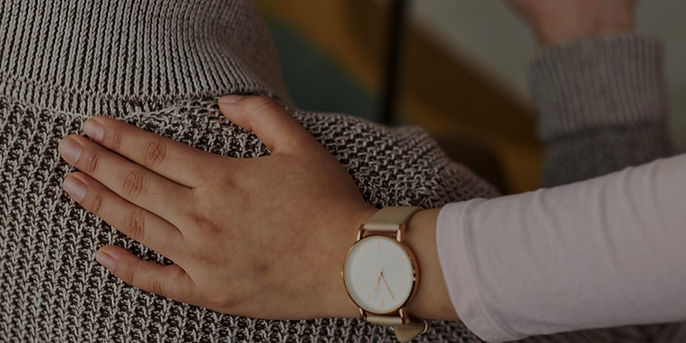
An adaptive rehabilitation cushion for elderly users that provides safe, adjustable resistance training using controllable air valves and force sensing, helping improve muscle strength while reducing injury risk. And the system also included a backend webpage that allow the Caregivers / Pt to monitor the data to give more customize caring
So how
might we
Enable elderly users to exercise their lower limbs daily at home — without supervision, without discomfort, and without danger?
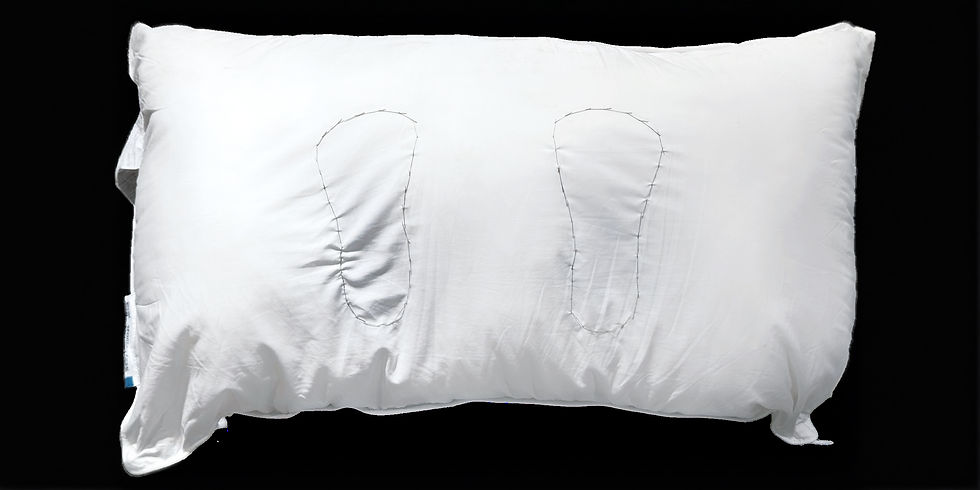
E-Pillow
A soft pillow that can let elderly do exercise themselves without any helps.
How to Use
1
Set Up
Place a pillow at the bed end and adjust the elderly’s lying posture and the pillow’s position properly through the help from caretakers, then let them rest their feet on the pillow.
2
Usage
Make sure elderly both feet are putting in the right place. Then
turn on the iPad, connect Wi-Fi and launch the game to link it with the device. The elderly control the in-game car by stepping left or right on the pillow
3
Feedback System
Throughout the game the camera on the device and the force sensor inside will detect all the data needed and show them in the website which should provided to caretakers.
Sub-System of the product
1.
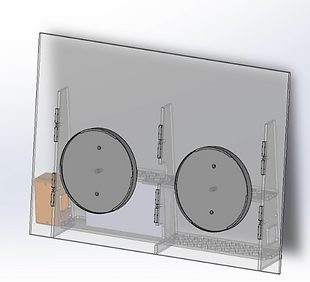
Pneumatic Cushion & Spring Return

2.
Sensing & Control

3.
Game & UI/UX
4.
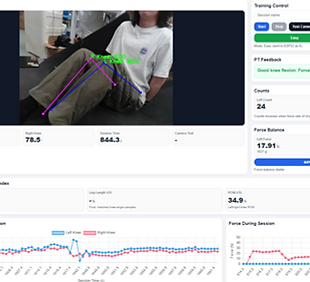
Camera + AI Pose Estimation + Therapist Dashboard
1.
Pneumatic Cushion & Spring Return
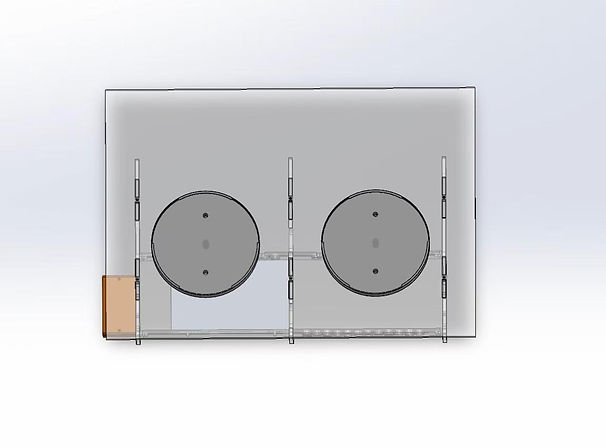
This part is about the inner structure of the product, what components is included, the material used, and what is the basic mechanism of the whole product.


Spring
Internal compression spring for rebounding : tuned to spring constant : 3.8 N/cm (UNDER TESTING) — light enough for frail users, firm enough to return the cushion.
Closure / Opening / Flow exit of an air system : control of resistance of pushing
Controlled deflation valve (solenoid) enables smooth pressure release (~1-2 sec). Inflation via spring

Material used
1. Outer Cushion: Cotton cushion as outer layer - soft, fluffy
2. Membrane Layer: Neoprene as the membrane rain layer - durable, flexible
3. Internal Layer: Low-density sponge and spring - provided little structured to make sure the device won’t be too flexible – store air inside for pneumatic system
4. back structure: Acrylic - provided strong support for the device when placing it in front the bed stand, However, this part won't be touched by the user to make sure the comfort.
2.
Sensing and control
This part is about the sensor we choose to used inside to detect the number of footsteps and the force users can used on each side of legs.
Force Sensitive Resistor (FSR420)
Force Sensitive Resistor (FSR) used to detect and measure applied force or pressure. When force is applied on the FSR420 surface show in the picture, it bend the contact surface and change the contact area between the conductive particles and the thickness of the sensor. The resistance changes. The lower the resistance it detect the higher force is used.
Then we place the sensor in the position that the contact with the elderly heel to make sure the force used by elderly is fully detect by the sensor. However, our product is soft, we found that the detection did not do well if we just put it without any support. So we added a acrylic layer on the back of the sensor to make sure the detection do well and confirm the comfort when using.

3.
Game and UX/UI
This part is about the game we design for this product that use when doing the exercise. The game is connect with the therapist Dashboard through Resberry Pi5
How to play
-
The car drives forward automatically along a straight road.
-
Coins spawn randomly on the left or right edge of the road, often in strings.
-
To collect them, the user presses the left or right air cushion with their foot, steering the car sideways.
-
Beautiful buildings and scenery pass by on both sides — a reward for simply looking up.
-
Session continues until the user chooses to stop; distance and coins are saved.

4.
Camera, AI Pose Estimation, Therapist Dashboard
This part is about how we use camera vision the detect and predict leg length, knee angle and leg movements. It also talks about all the data we collect through camera and force sensor and how we present in the dashboard.
Therapist Dashboard
It contains:
-
Control the difficulties - Easy, Medium, Hard
-
Display real-time camera with joints and angles
-
Force & Counts
-
Real-time graph
-
ASI → For asymmetric prediction
-
Summarize Page

System Flow:
-
FastAPI start the server
-
Backend getting and storing the POST data from ESP-force sensor / frame from camera
-
Data from force sensor transfrom to Newton and Counts
-
Data from camera runs Yolo to get Knee angle and collect leg length
-
Both display on WebUI
-
Used for calculating Asymmetry Index (ASI) for multiple factors → Predict the asymmetric of user’s lower body
The whole system diagram about how the electronic components, datas etc are connect with the web server is provided in the picture on the right hand side.

DEMO Video
